
How To Add Client Success Stories To Your Website
If you're a marketing agency and want to show client success stories (before and after heatmaps) on your website, this guide will explain how you can do it easily.
Why Add Client Success Stories to Your Website?
We've made it super easy to show off real results from happy clients—directly on your own website. This iframe displays powerful, white-label customer success stories that do not mention Merchynt by name, so it looks like they’re part of your business. ✨
Our internal data shows that a large percentage of people look at these stories before signing up, so if you want to increase conversions, adding this to your website is a smart move!
🛠️ How to Install the Client Success Stories Iframe
You don’t need to know any code to do this—just follow the steps below!
✅ Step-by-step Instructions:
-
Log in to your website builder (This might be WordPress, Wix, Squarespace, Shopify, or another platform.)
-
Go to the page where you want to show the client success stories. This is usually your homepage, services page, or a dedicated testimonials page.
-
Add an HTML block or embed element Look for an option that says something like:
- “Embed”
- “Custom HTML”
- “Code”
- “Raw code” (Different platforms call it different things!)
-
Paste the iframe code into that block:
<iframe src="https://www.merchynt.com/customer-stories-iframe" width="100%" height="800" frameborder="0" style="border: none; overflow: hidden;" allowfullscreen> </iframe> -
Save or publish your changes.
That’s it! 🎉 The success stories will appear right where you placed the code.
🖼️ What It Will Look Like
It will appear exactly as shown in the screenshot below:
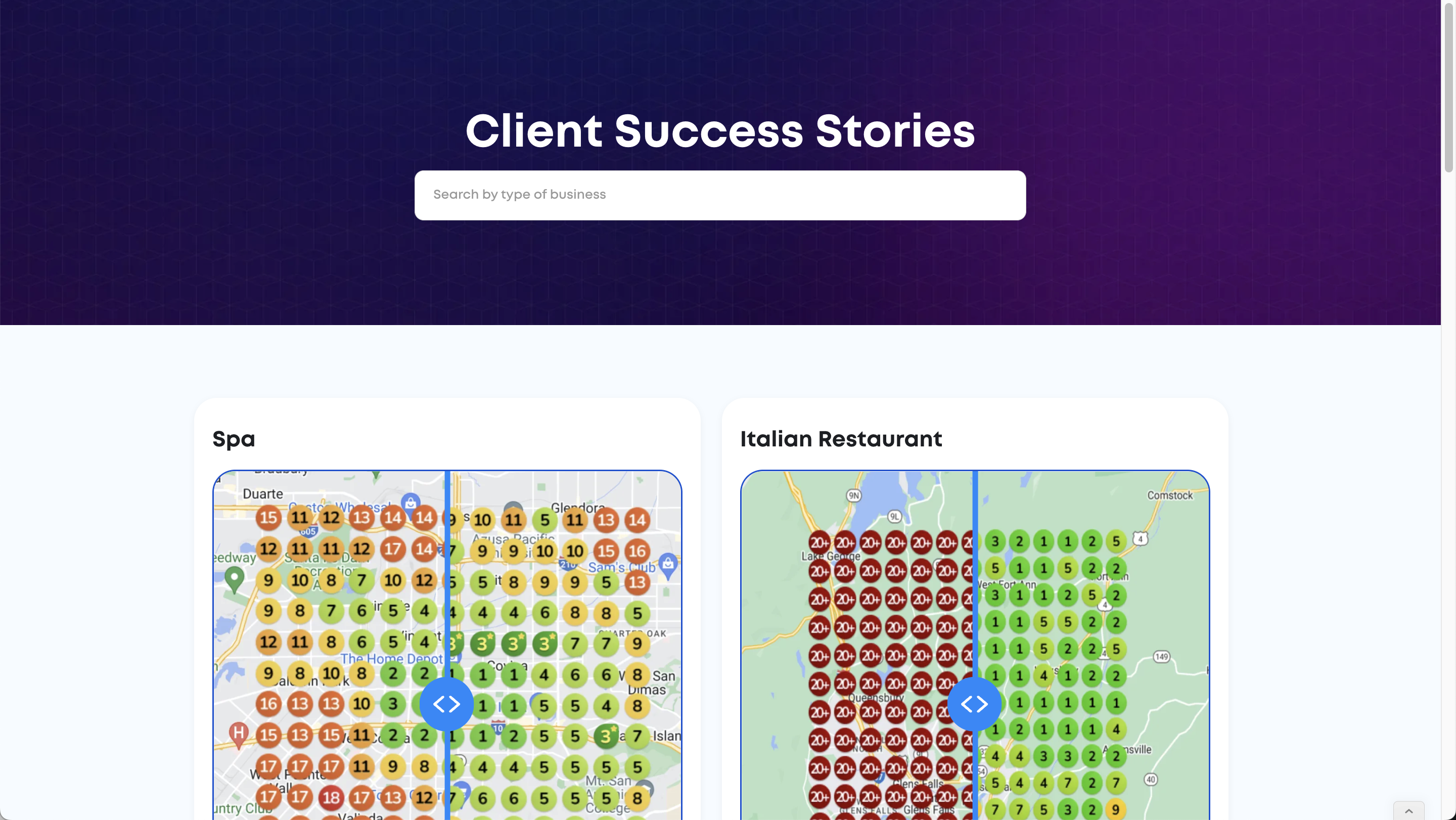
Right now, there’s no way to customize how it looks, but it’s fully white-labeled and optimized for lead conversion.
🚀 More Stories Coming Soon
We regularly add more customer success stories, and as we do they'll automatically become searchable via this widget!
Didn't find what you needed?
Tell us what's missing or unclear and we'll improve this article.
Still need help?
Our team is available to help you with any questions about your local SEO setup. Just log in to Paige and start a live chat.